

Lesson learned: Magic links suck
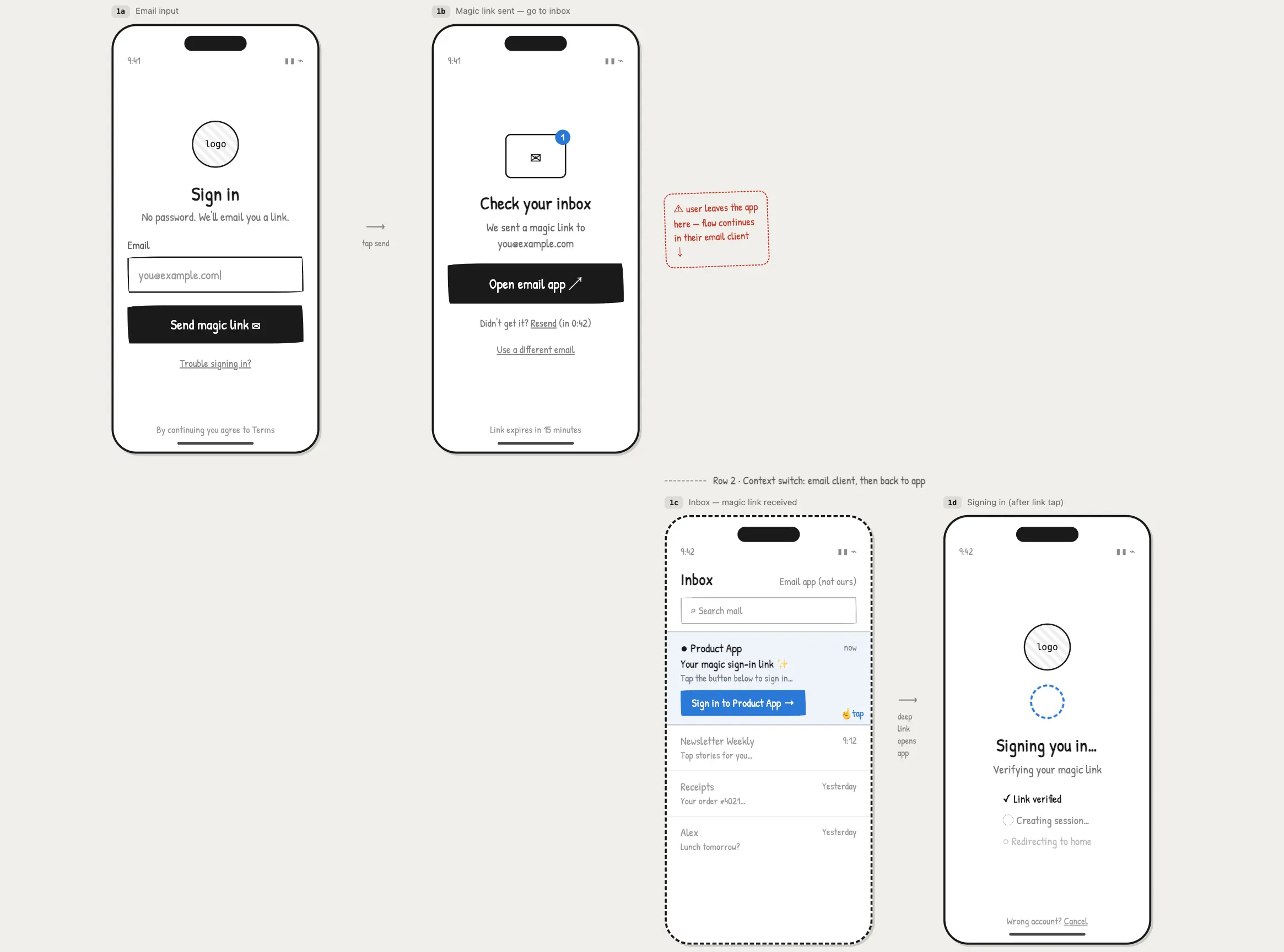
A magic link means that a user enters their email address into an input on your website, receives a link in their inbox and, by clicking the link, is magically signed in.
Some time ago, I created this video: https://www.youtube.com/watch?v=0b93aXhXUyU
I rated different login methods from worst to best. Magic links got 3rd place. I meant it at the time…
Then I launched and maintained a few more projects, and I changed my mind.
The option I considered pretty good has more weak spots than I realized—especially now, when you can build almost any login flow with a single AI prompt.
The reasons why I changed my mind:
- I saw users leave the app without successfully completing signup because the email didn’t arrive quickly enough or ended up in their junk folder.
- Email security scanners: for security purposes, a login link should be a one-time link. However, some email scanners can “open” the link before the user actually receives it, which results in the user getting an “already used” link.
- It is pretty inconvenient. Sometimes users need to log in on a shared device, but they are not currently logged into their email inbox on that device. Before they can log in to your app, they first need to log in to their inbox.
- It actually breaks the flow—they abandon the page telling them to check their email and continue in a new window after clicking the link in the email.
I would never use magic links again.
A better alternative that removes some friction is an email OTP. For example, you send users a six-digit code that they enter in your app to confirm their email address. This reduces disruption to the flow: they still go to their inbox, but they return to the app with the OTP, so there is no abandoned tab in their browser. It also solves the email scanner problem because the email contains a code instead of a link.
Even though email OTP is a better alternative, it is still a little inconvenient because users have to leave the app every time they want to log in. I am still the biggest fan of social logins. But if you need something different, email and password might actually be a good fit for you, if the app requires users to log in frequently.